 CharlyPlayer
Coming soon to the Microsoft Store
CharlyPlayer
TV that feels like a dream.
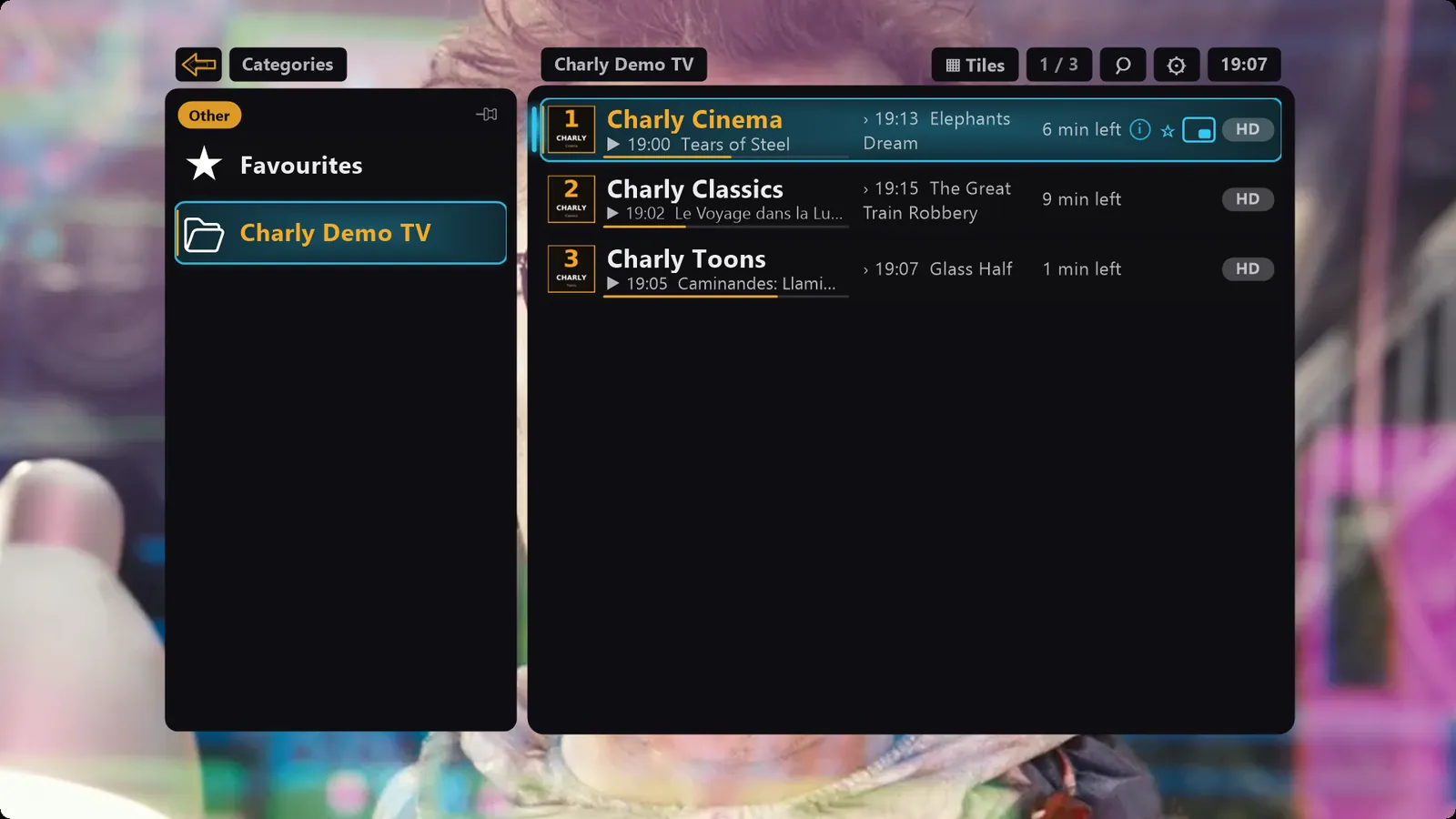
A one-of-a-kind way to control TV. Every control floats, semi-transparent, over the running picture; lists glide with momentum and settle with a soft bounce. It's there the moment you need it – and gone just as fast. The IPTV player for Windows, for your own channel list (M3U) or your provider account with a Stream API (Xtream-compatible).
- Windows 10 and 11
- Free, with optional Plus
- No account, no tracking, no ads
- English and German
CharlyPlayer does not include any channels or content
CharlyPlayer is a player only. You bring your own lawful source: a channel list in M3U format or your account with an IPTV provider that offers a Stream API (Xtream-compatible). Please only use sources you are legally allowed to receive.
All images on this page show demo content only: Blender Foundation open movies (CC BY), public-domain films and our own productions – see Credits (German).
The feel
A one-of-a-kind way to control TV
CharlyPlayer is made for watching – and so are its controls. Menus and lists glide in, fade up and fade away, while the picture simply plays on behind them. Television that feels good.
Momentum
Flick the mouse wheel, let it glide, feel it land: the channel list picks up speed, coasts to a gentle stop and springs softly back at the end like a rubber band – no wobble. The TV guide, movies and recordings move the same way. To us, it feels smoother than on the priciest phones and tablets.
Calm
No sidebar, no shrunken picture: the controls rest semi-transparent on top while the film plays on at full size. Leave them alone and they quietly step back – and when nothing is playing, they stay with you instead of leaving you in front of a black window.
Speed
Move the mouse or press a key and the controls fade in in the blink of an eye. Click into the picture or press Esc and they're gone just as fast. Categories and details slide in with a noticeable push and ease gently into place.
Features
Everything good TV on your PC needs
Control by mouse, keyboard or media keys. Features marked Plus are free for the first 28 days and then available with CharlyPlayer Plus.
Controls right on the picture
Channel list, TV guide, menu, settings and media bar float over the running picture – as see-through as you like: set the opacity (15 to 100 %) live with Shift + mouse wheel. Behind them, the picture keeps playing full size.
Live TV with Now & Next
Quick channel switching, a channel list with categories and favourites, Now & Next right in the list. Plus one search across all channels and programmes – and in every list, just start typing.
TV guide
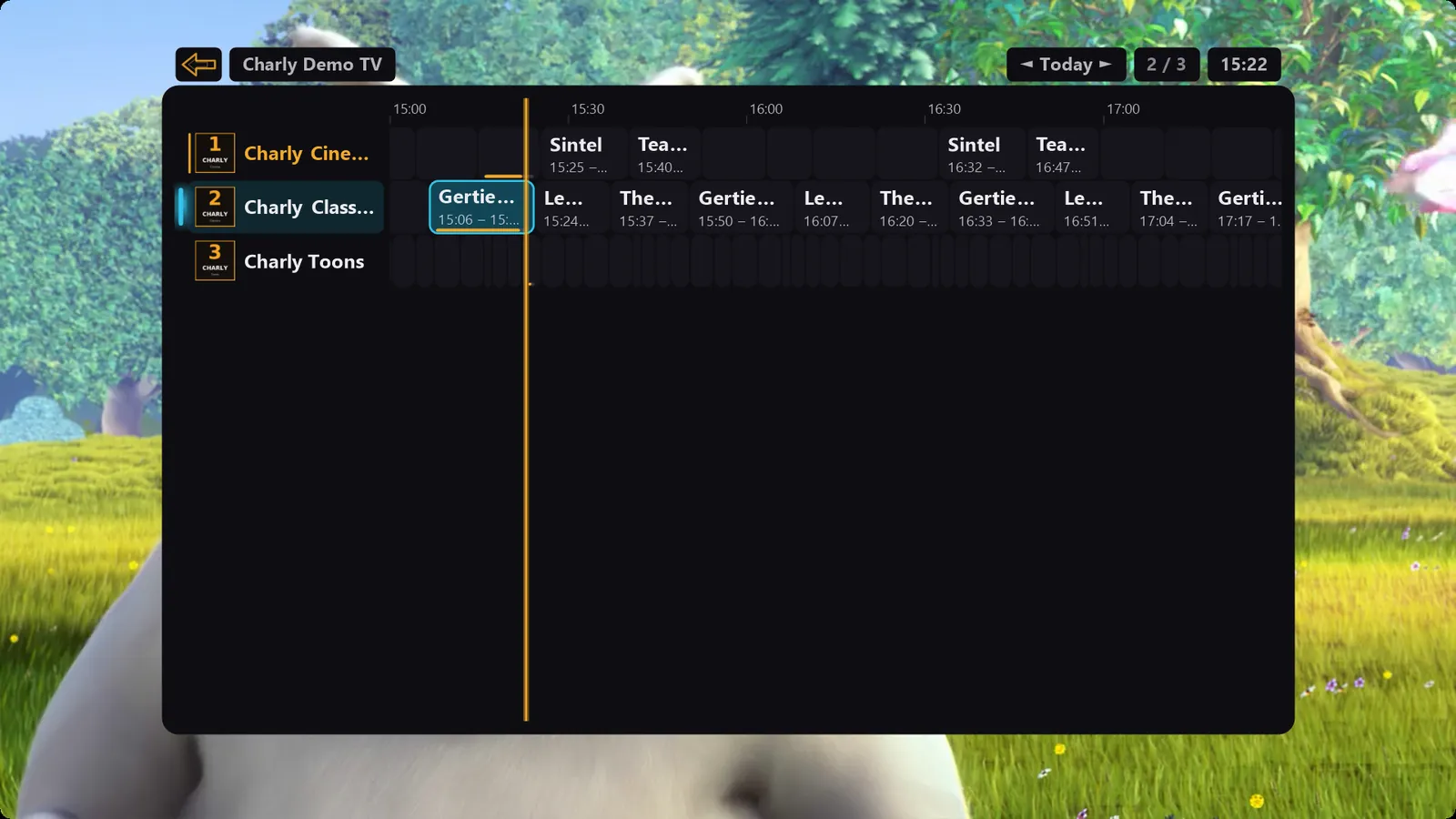
Several days ahead, with data from your provider or as XMLTV. If your provider offers an archive, you can restart running shows or watch past ones.
Movies & series with posters
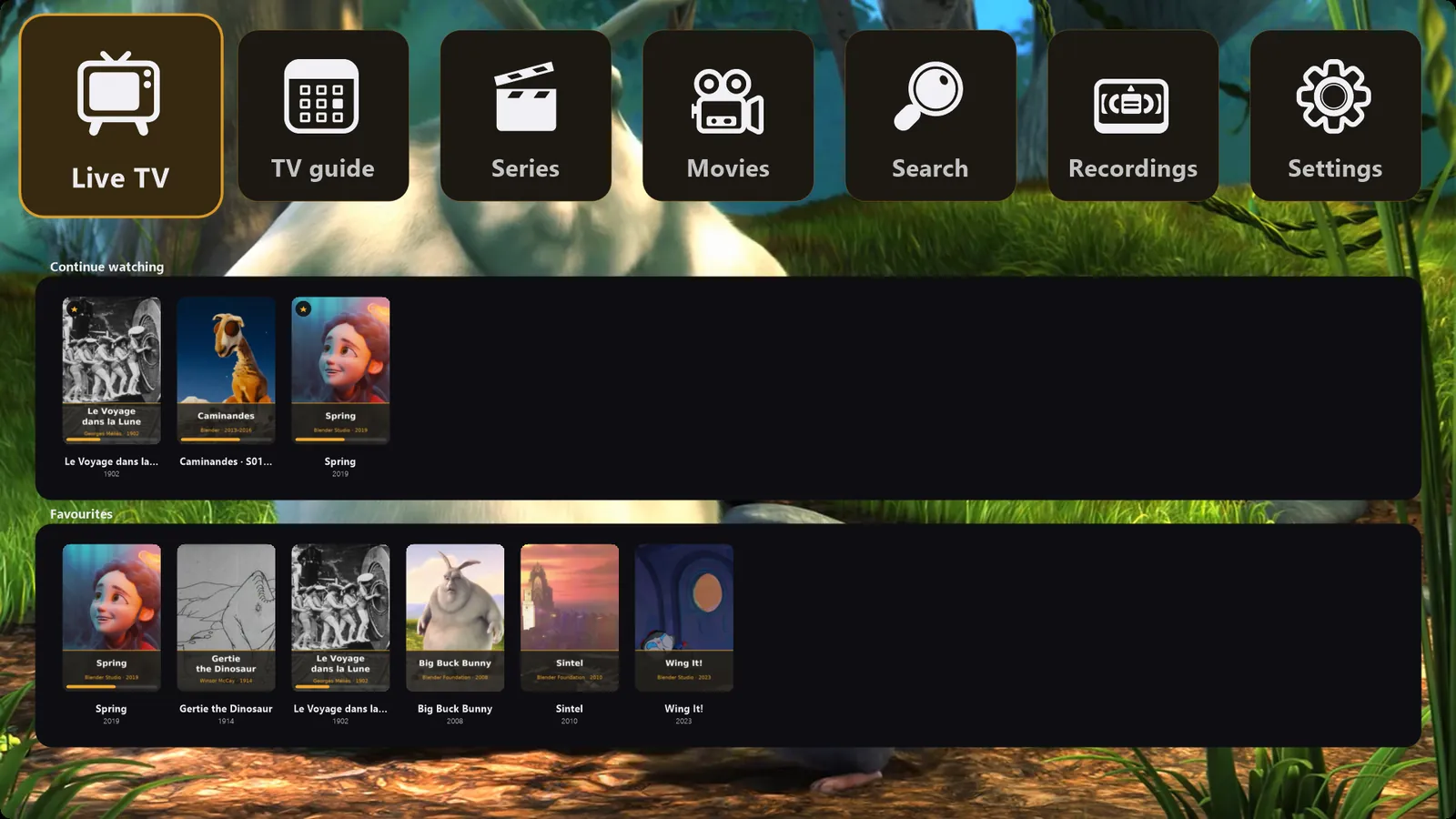
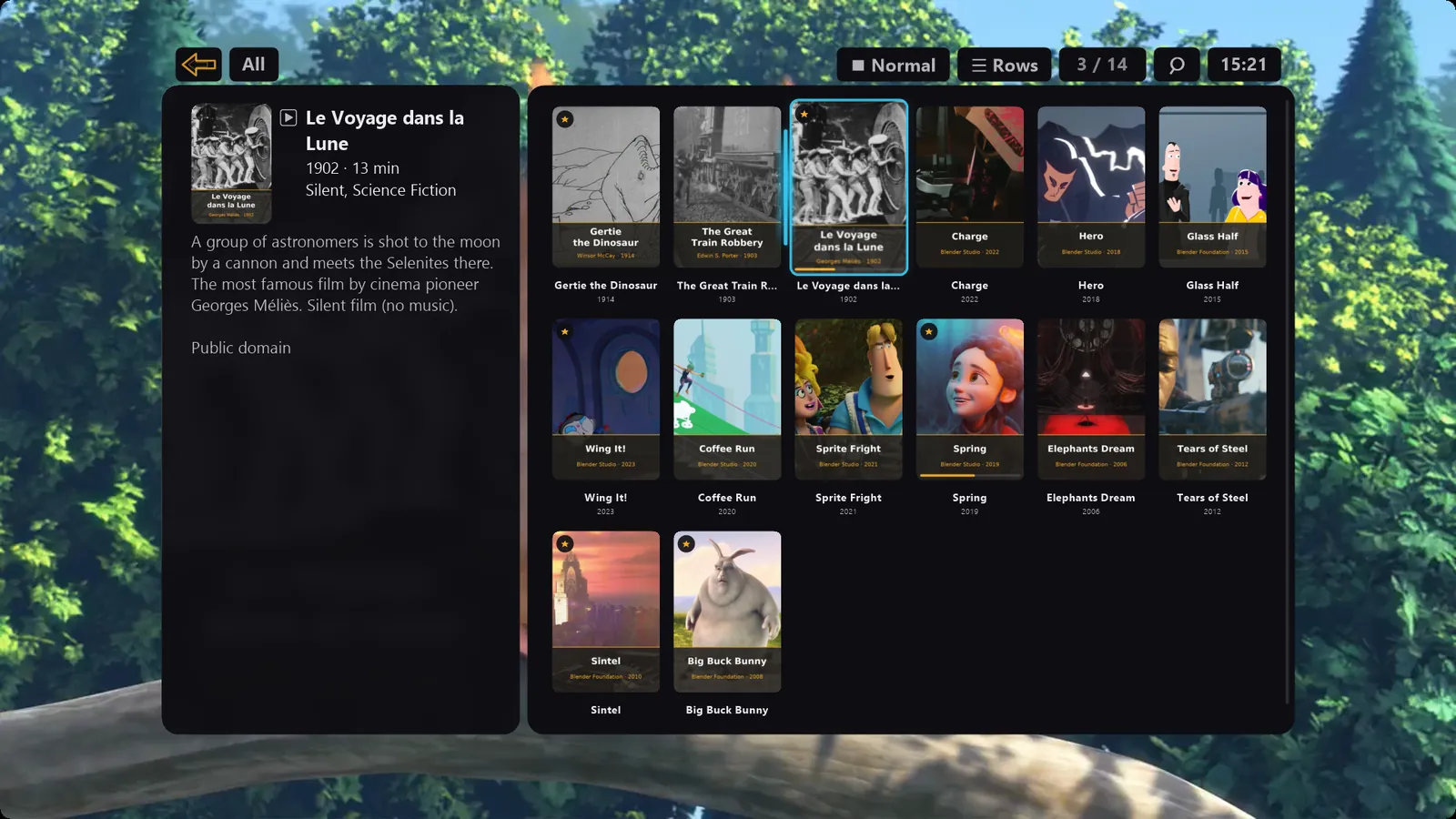
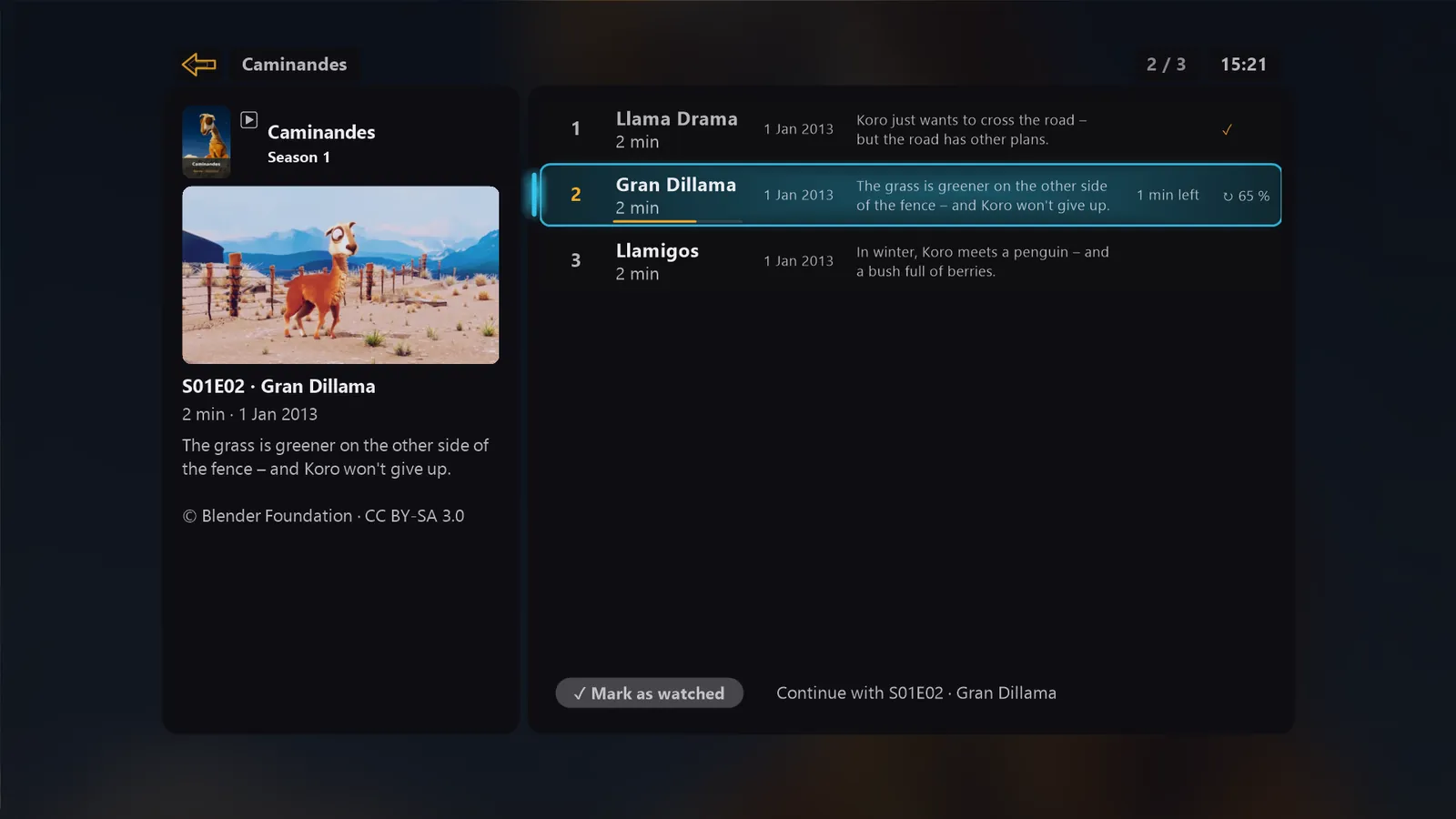
A library with posters and descriptions, seasons and episodes, next episode automatically and “Continue watching” at the right spot.
MultiView
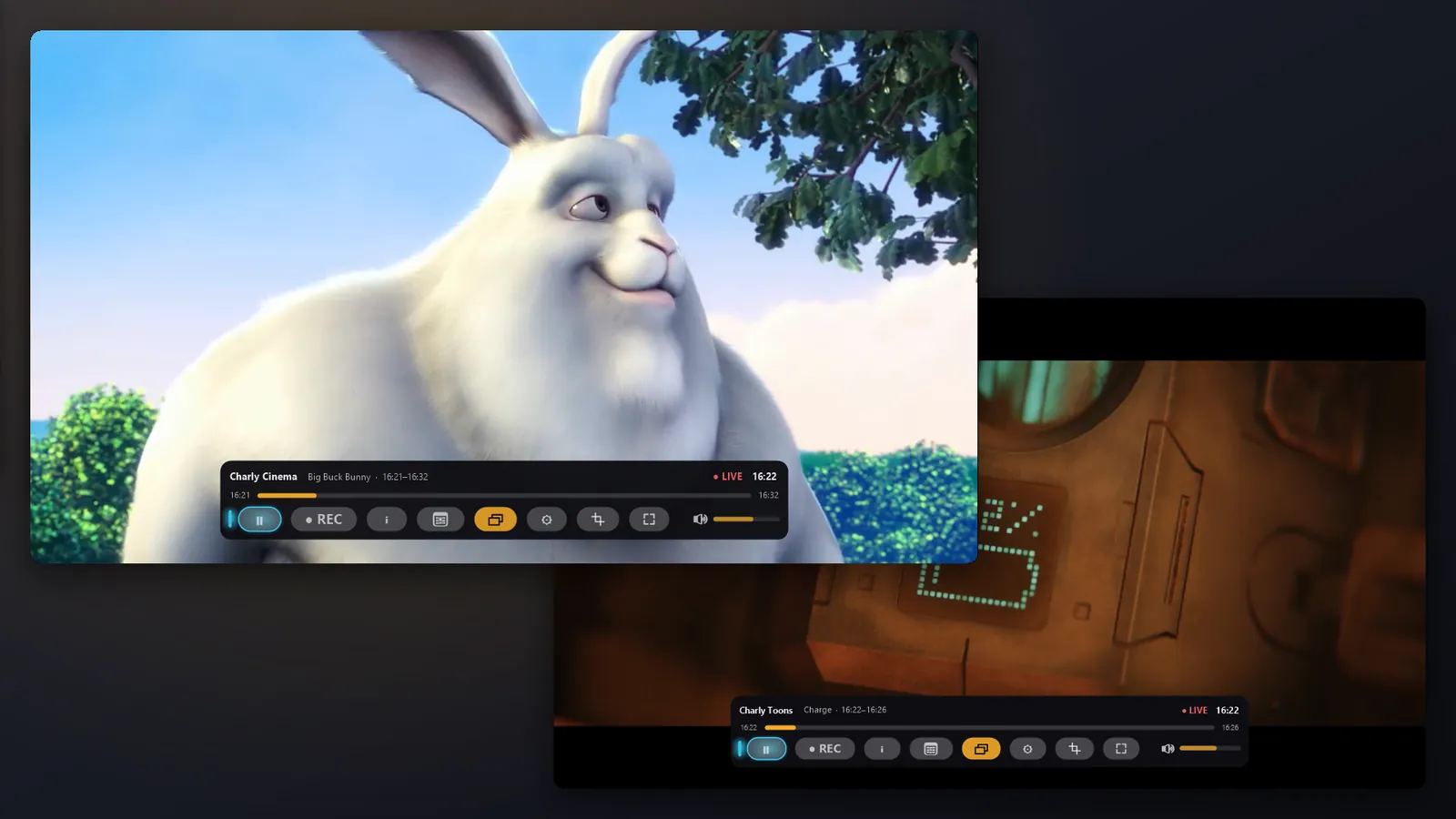
A second channel in a second, full window with its own sound – for example on your second screen. Even if your provider allows only one connection – CharlyPlayer then learns how your provider and the channels behave, so the picture may pause briefly at first.
Picture-in-picture
A second channel in a small window – say, to see when the ads are over.
Recordings & schedules
Record right away or schedule recordings and reminders straight from the TV guide. Finished recordings always stay free.
Time shift
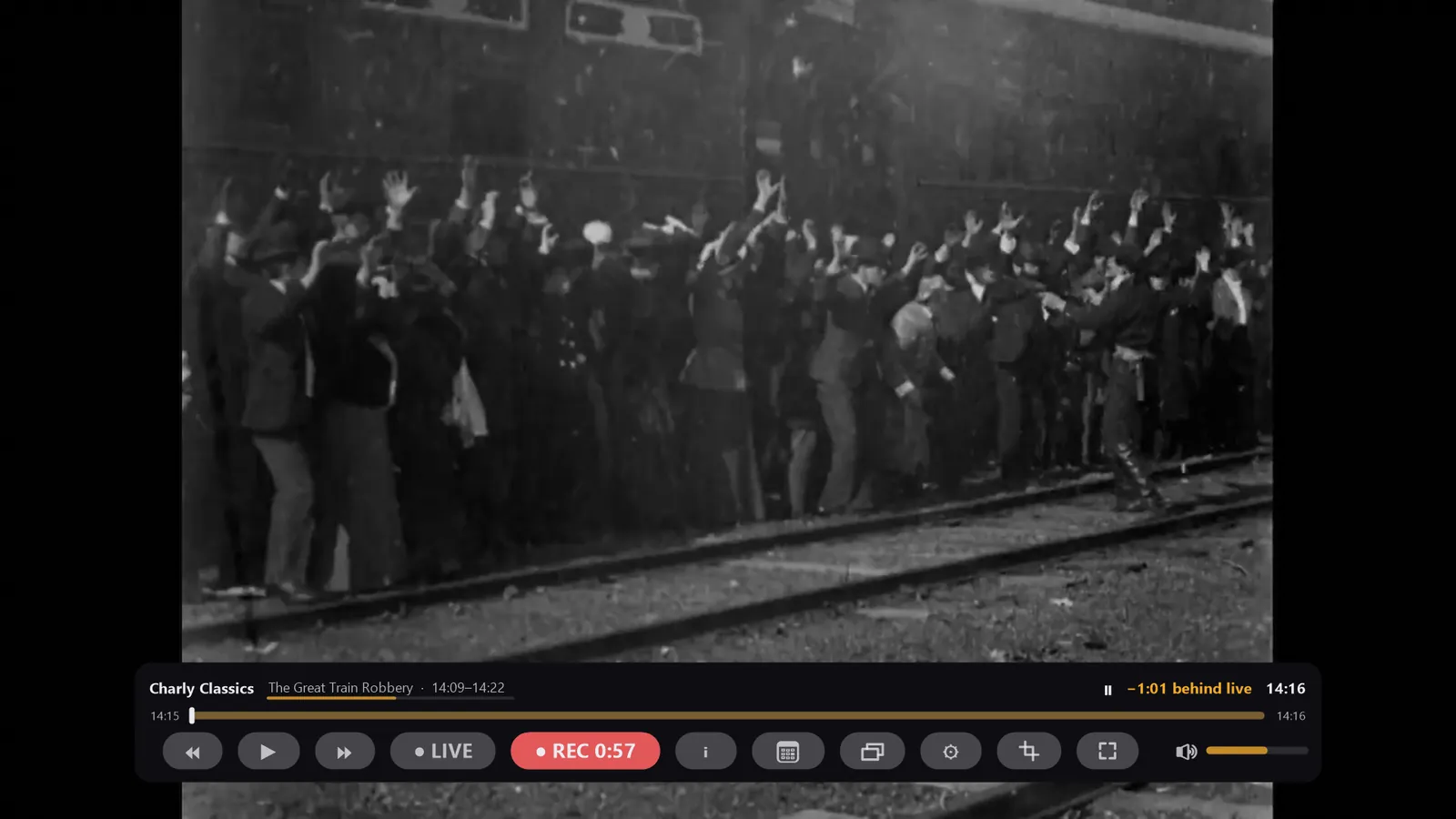
Pause and rewind live TV – even when your provider allows only one connection at a time.
Home network sharing
Watch the current channel on an iPad on your Wi-Fi. Requires a separately installed ffmpeg.
More connections, second login
If your provider allows several streams or you add a second login, CharlyPlayer uses the extra line – otherwise it shares the single one smartly.
English & German, made yours
Colour schemes, several text sizes, volume levelling, audio and subtitle selection. “Bars away” crops black bars burned into the picture.
Your data stays with you
No account with us, no tracking, no ads. Credentials are stored encrypted on your PC only.
Screenshots
What CharlyPlayer looks like
Captured in the app with the demo account. Click to enlarge.
Live TV with channel list and Now & Next 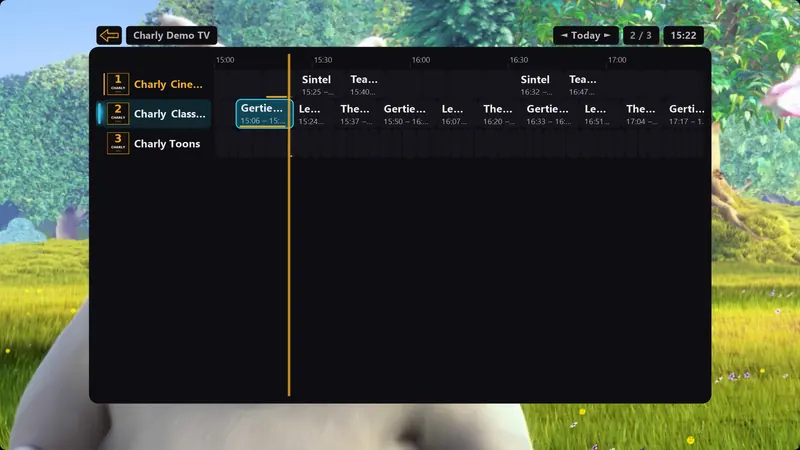
Multi-day TV guide 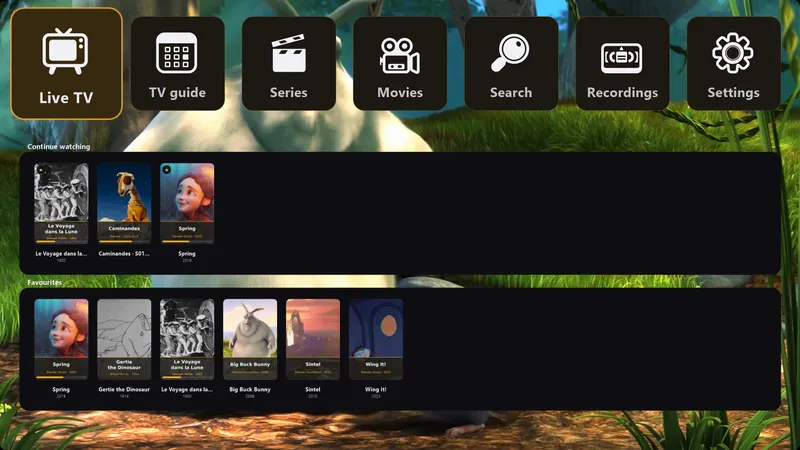
Everything in one place – with “Continue watching” 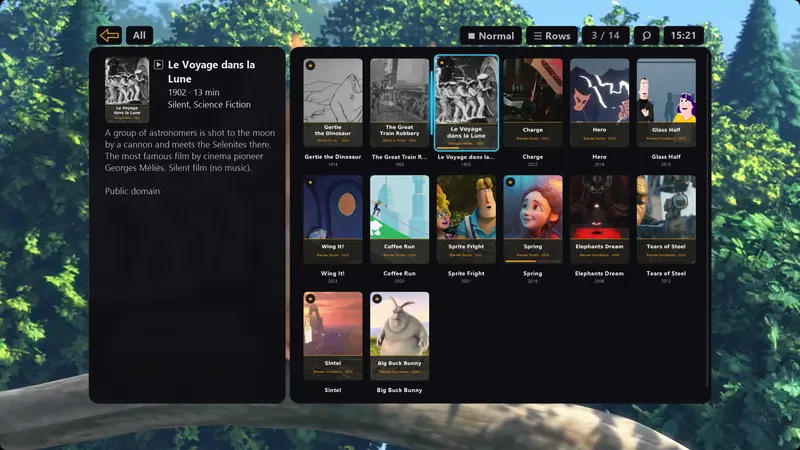
Movies with posters and descriptions 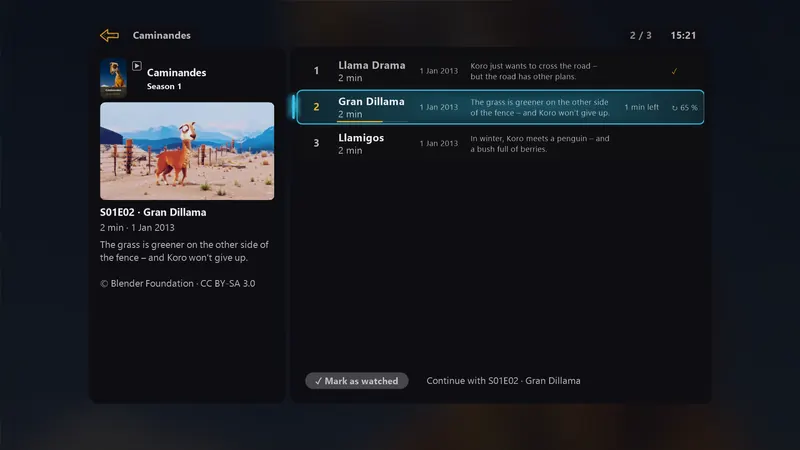
Series with seasons, episodes and automatic next episode 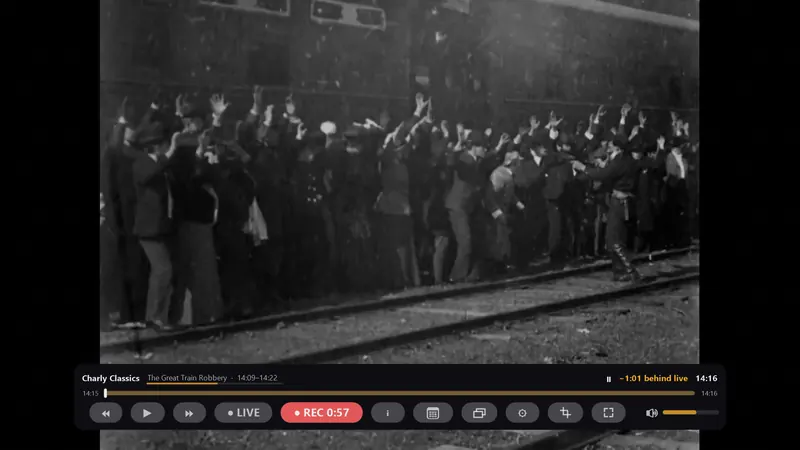
Pause, rewind and record live TV 
Picture-in-picture – a second channel in a small window 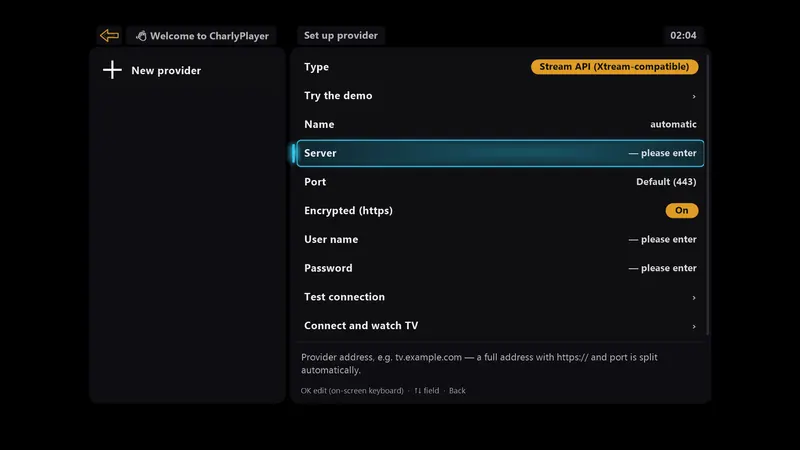
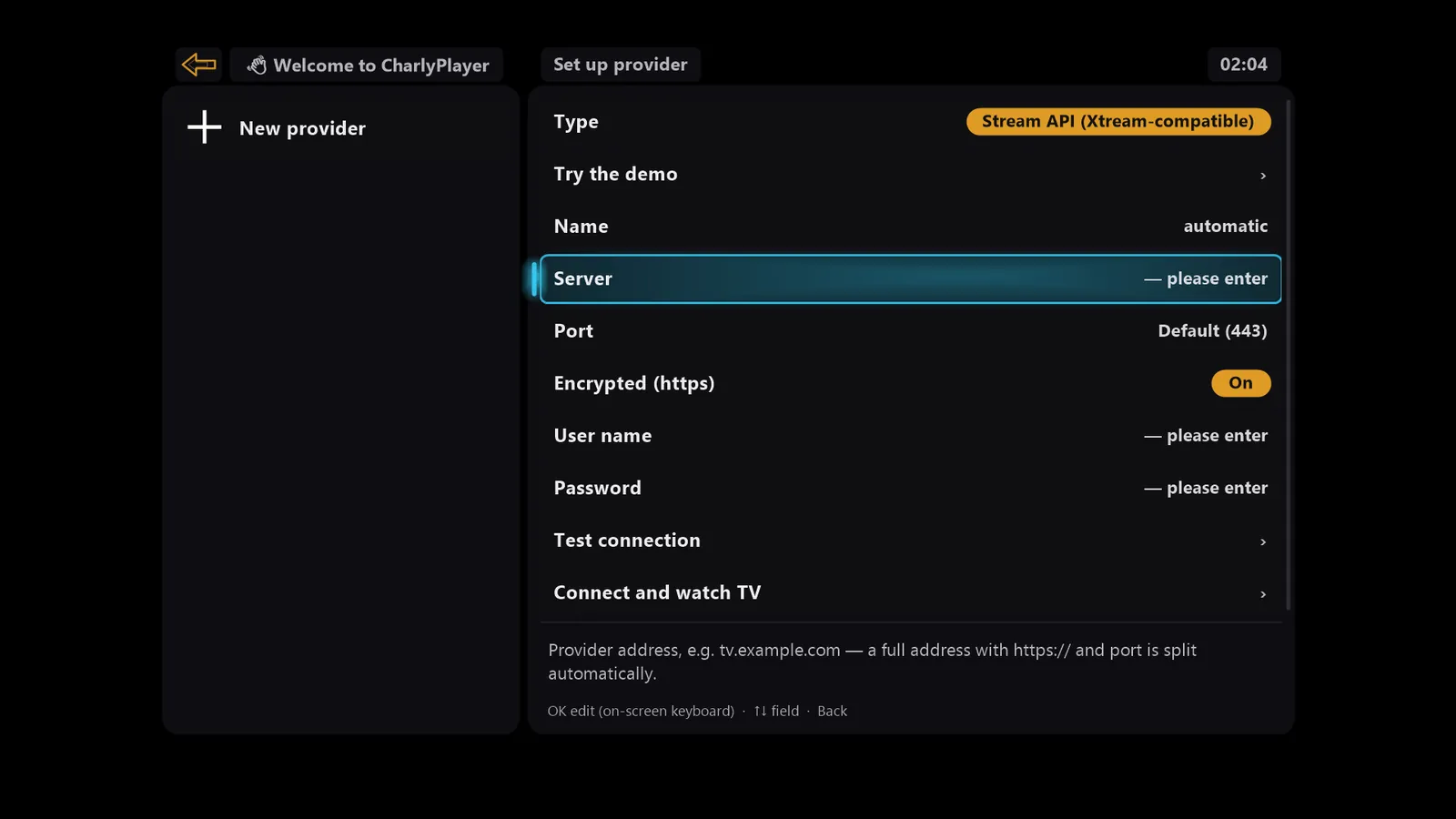
Your own channel list or provider account – CharlyPlayer includes no content 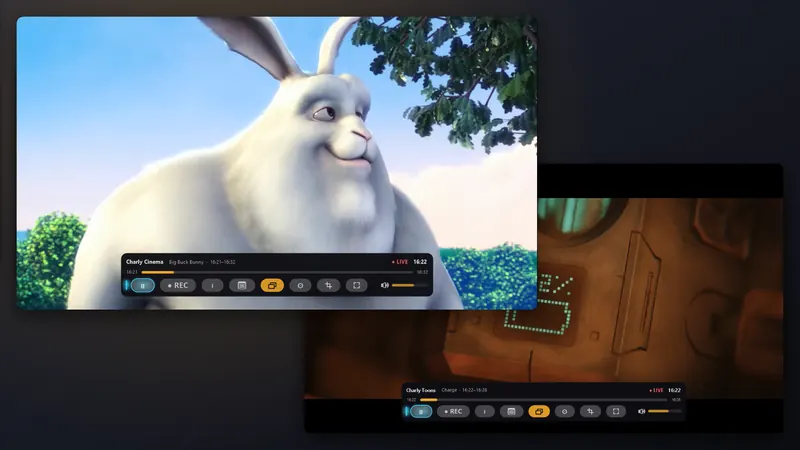
MultiView – two channels in two windows, even with a single connection

Shown: demo content – Blender Foundation open movies (CC BY), public-domain films and productions by CSC-Software. Sources: Credits (German).
Pricing
Free – with Plus when you want more
Everything is unlocked for the first 28 days. After that, it’s your choice.
CharlyPlayer
€0
free
- Live TV and TV guide
- Movies, series and favourites
- Watch finished recordings
- Picture up to 720p
Plus – Yearly
€9.99
per year, cancel anytime in your Microsoft account
- Picture above 720p
- Picture-in-picture and MultiView
- Recordings and schedules
- Time shift
- Home network sharing
Plus – Lifetime
€29.99
pay once, unlocked for good
- Picture above 720p
- Picture-in-picture and MultiView
- Recordings and schedules
- Time shift
- Home network sharing
Purchase and billing through the Microsoft Store. Prices for Germany; other markets may differ.
Demo
Try it without an account
Openly licensed content only – sources and licences under Credits (German).
In the app: “Try the demo”
On first start, “Try the demo” shows 25 channels right away – no account needed: a fictional TV landscape with its own channel names and logos, a full TV guide and free films.
Channel list: charlyplayer.com/demo.m3u
Demo account with movies and series
| Server | https://charlyplayer.com/ |
|---|---|
| User | demo |
| Password | charly |
Stream API (Xtream-compatible), one connection at a time.
Coming soon to the Microsoft Store
CharlyPlayer will shortly be available in the Microsoft Store for Windows 10 (version 1809 or later) and Windows 11.